Launching soon on iOS

Find your people around the corner.

Add your closest friends. When someone in your loop is nearby and free, Meetly sends a quiet ping — mutual and opt-in, with no public map or broadcasting. From there, plan anything together: a coffee down the street, or a full multi-stop road trip, flight, or train journey.

PS MW DO JR
Built for your closest few — not the whole internet
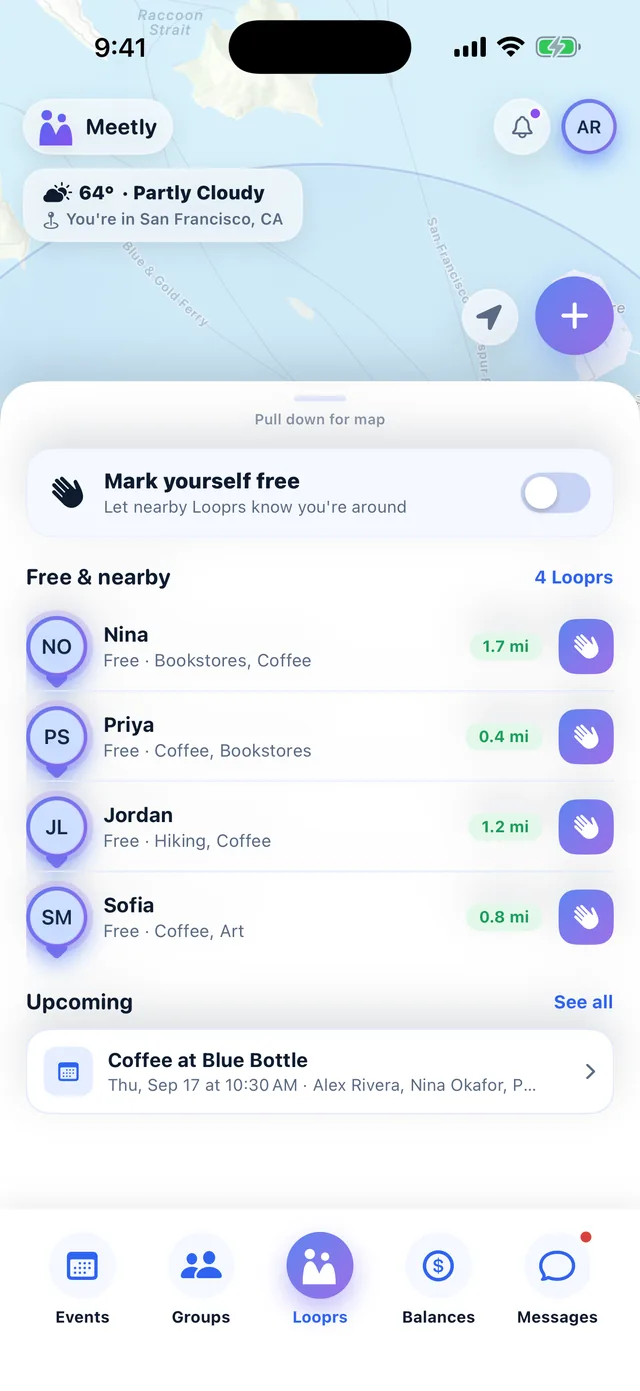
Meetly home screen showing four friends nearby and free, with distances, current weather and an upcoming coffee plan
Mutual only — both people opt in Approximate location — never your exact spot Nothing sold — ever Delete anytime — one tap, all gone
Two ways to use it

Nearby right now, or anywhere later.

Meetly does two things. One is about the friend who happens to be ten minutes away. The other is about the trip you keep meaning to book. Both work with the same small group of people you've chosen.

1

When someone's nearby

You're both out, you're both free, and neither of you knew.

  • Mark yourself free, and see which of your Looprs are too
  • A quiet ping when one of them is genuinely close by
  • Approximate area only — never your exact spot
  • Wave, or turn it into a real plan in a couple of taps
Coffee in twenty minutes
2

When you're planning ahead

Nobody needs to be nearby. Pick anyone in your loop and go anywhere.

  • Road trip, flight, train or bus — one stop or a dozen
  • Add stops we suggest, or drop your own pin anywhere
  • Multi-day trips, with where you're staying each night
  • Bills as you go, split however you actually split them
Two weeks down the coast

You don't have to choose. Most people use the first on a Tuesday and the second in July.

How it works

Three steps. That's the whole thing.

No feed to scroll, no followers to chase. Meetly stays out of the way until the moment two friends actually line up.

Pick who's in your loop

Choose a handful of friends from your contacts. It only works when it's mutual — you'll never see anyone who hasn't added you back.

Get pinged when it counts

A quiet notification only when a friend is nearby and has marked themselves free. Just being close by isn't enough.

Wave or plan

Reply with a wave, or turn it into a real meetup in a tap.

Private by default

Shared location is deliberately approximate — never your exact position.

Off in one tap

Shrink your radius or turn it all off. Nothing keeps running in the background.

Beyond the ping

Once you're both free, plan the rest right there.

A notification is just the start. Deciding on a spot, getting everyone confirmed, coordinating on the day, and settling up after — all in one place.

  • Real group plans. Propose, everyone RSVPs, and bill-splitting only unlocks once you've actually met up.

  • Reusable groups. Save “Family” or “the hiking crew” once, pick the whole group in a tap.

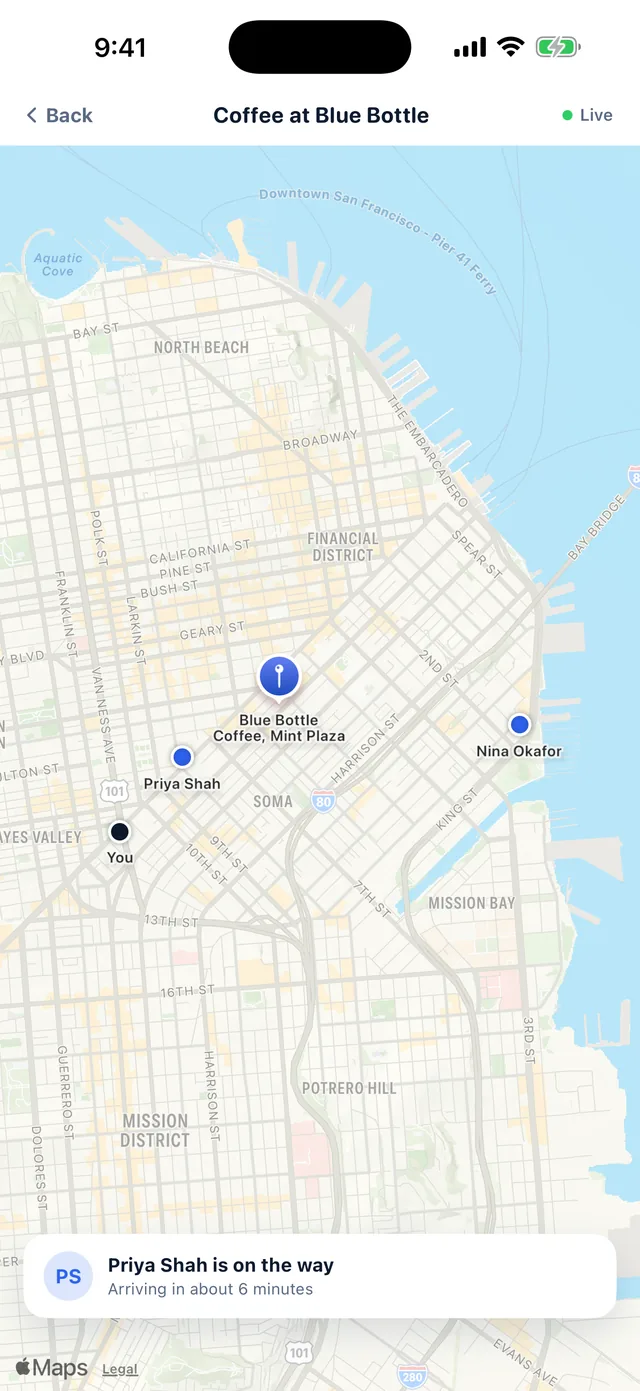
  • Live tracking, once confirmed. See each other head to the spot in real time — only for the plan you're in.

  • Split the bill after. Add what was spent and Meetly works out who owes what.

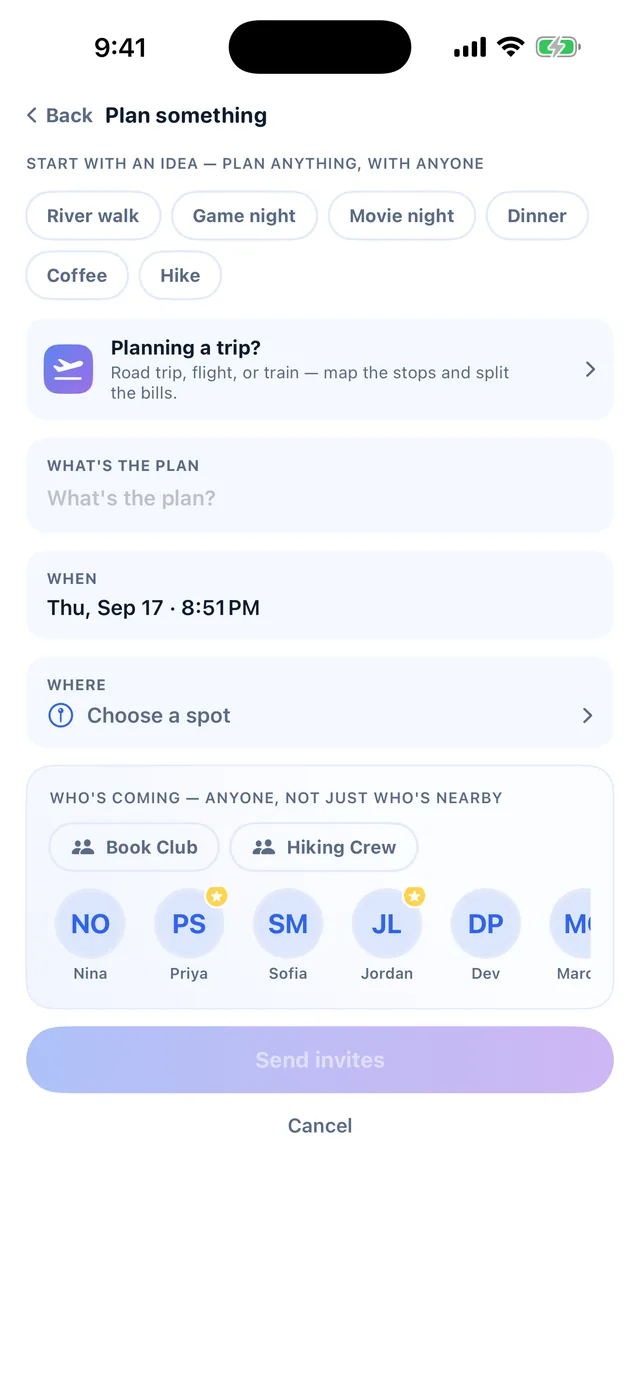
Meetly plan composer with idea chips, time, place and who is coming

Not just nearby — plan with anyone, anytime

The proximity ping is one way Meetly starts a plan — it isn't the only way. Tap the "+" any time to invite whoever you want, whether they're across town or across the country, for whenever works. Nothing here waits on someone being nearby and free.

New — going further than a meetup

Road trip, flight, or train — map the whole thing.

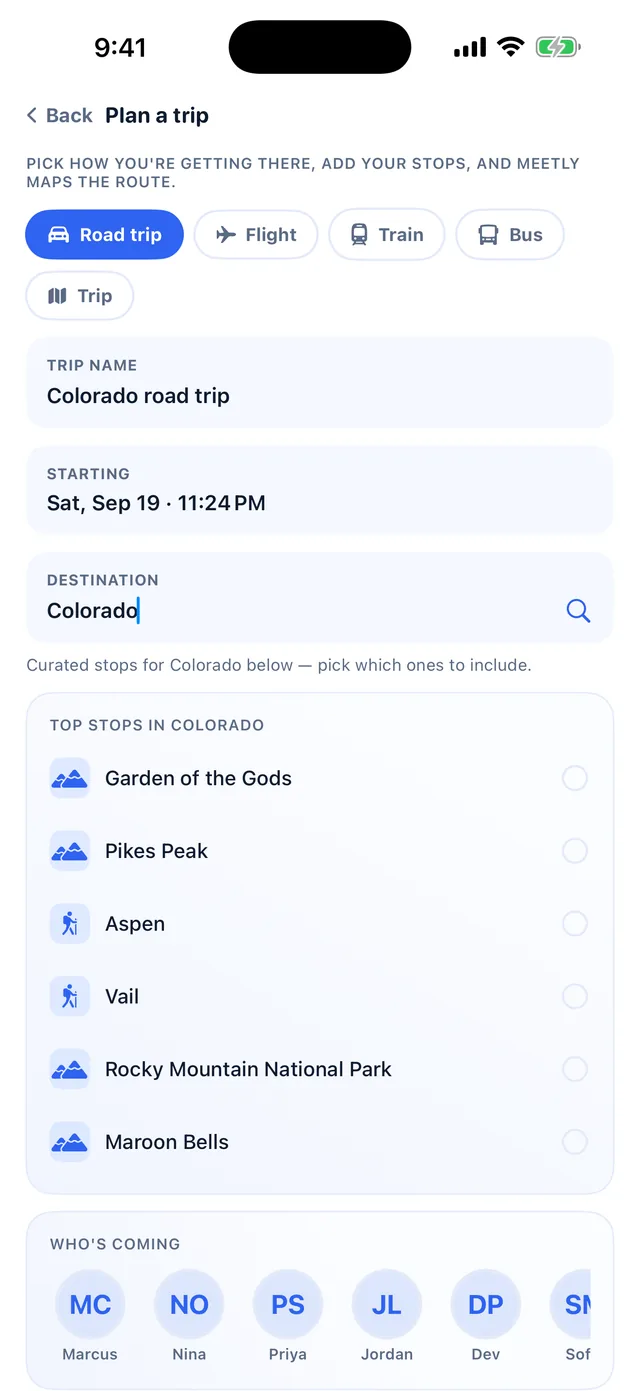
Some plans have more than one stop. Pick how you're getting there, add every place along the way, and Meetly lays it out as a real route — then splits the trip's bills by category once you're back.

  • Any way you're traveling. Road trip, flight, train, or bus — each mode gets the right kind of stop (a place to see, an airport, a station).

  • Curated stops for driving trips. Type a destination like "Colorado" and get real, hand-picked places worth seeing along the way — Pikes Peak, Garden of the Gods, Aspen.

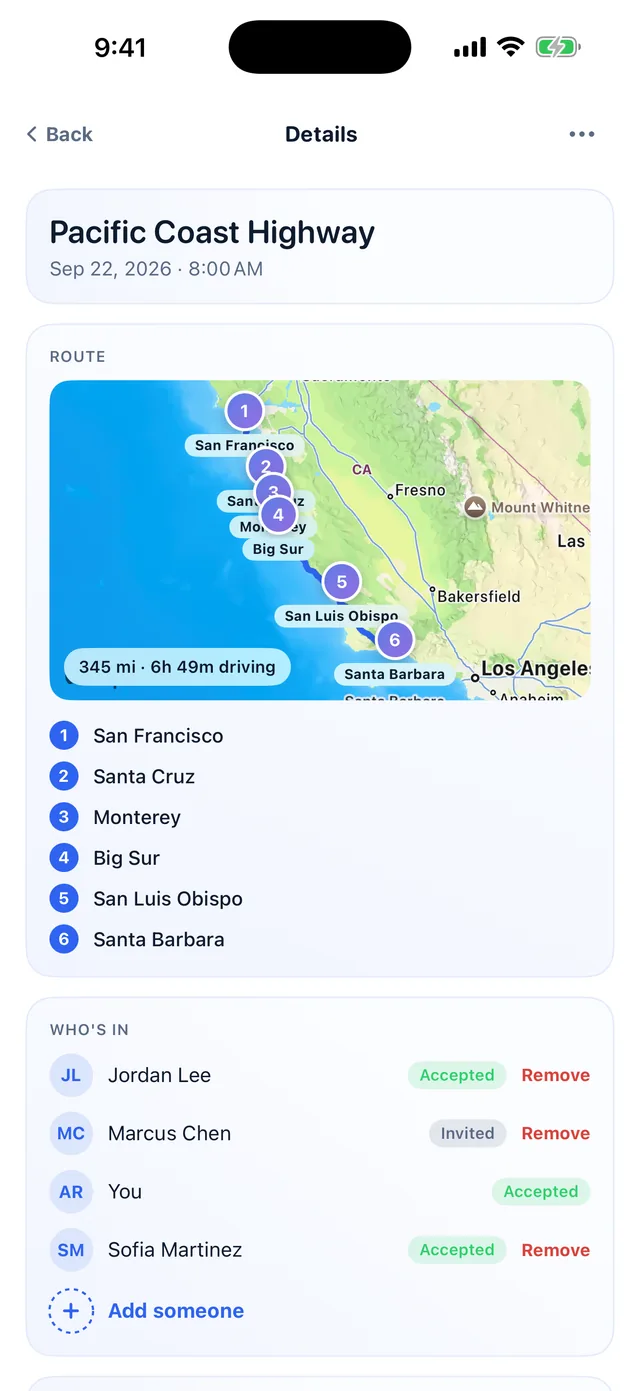
  • A real route on the map. Driving trips get an actual computed route between stops. Flights and trains get an honest straight line — Meetly doesn't pretend to know your flight path.

  • Or somewhere that isn't listed. Drop a pin anywhere and name it yourself — a friend's cabin, a trailhead, the house you've rented. Add as many as the trip needs.

  • Longer than a day, planned day by day. Say how many days you're away, put each stop on the day you'll be there, and mark where you're sleeping each night. The full route still sits on one map at the end.

  • Bills while you're still away. Add them as they happen rather than reconstructing receipts afterwards. You see a running total per day and for the trip, by category, until you close the trip and it becomes final.

  • Split it the way it actually happened. Evenly, among just the people who were there, uneven amounts when one room cost more — or not split at all. A family sharing one budget sees what the trip cost without anyone being told they owe a parent money.
Meetly trip planner with travel mode chips and curated stops for Colorado

From "where are we going" to "here's what it cost."

The route with every stop in order, everything you've got planned, and exactly who owes what once it's done.

Meetly trip route map with six ordered stops along the Pacific Coast Highway
A real route, in order
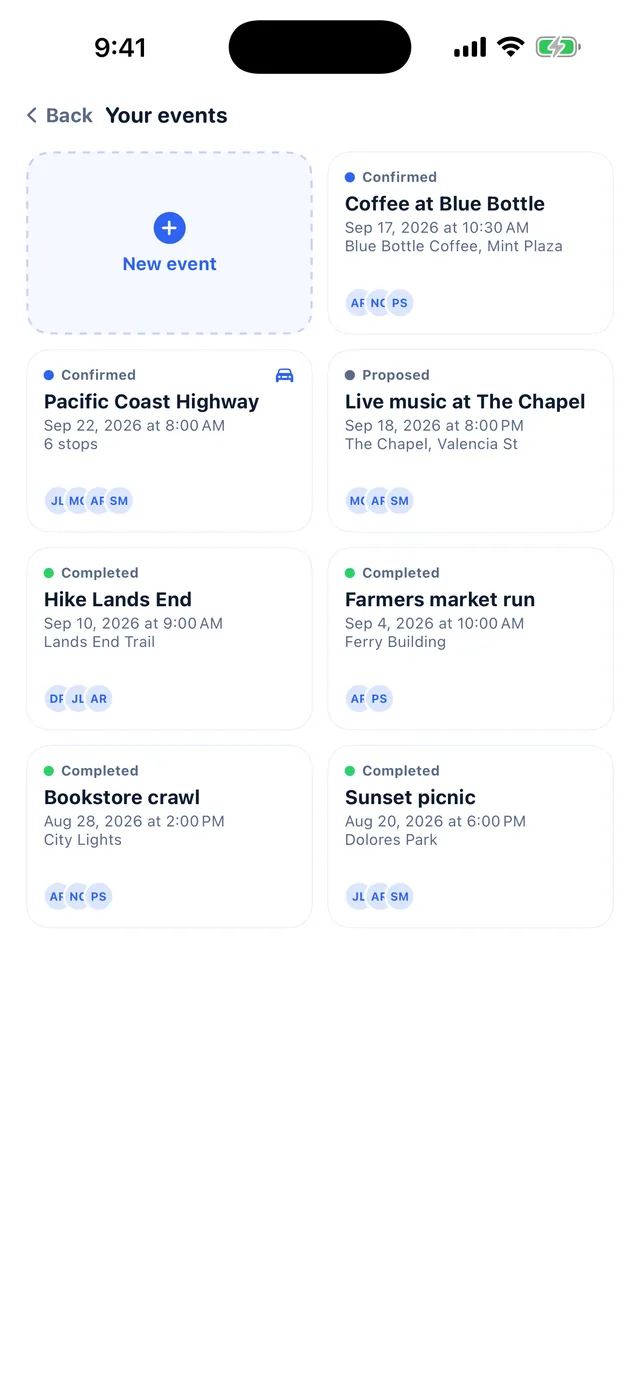
Meetly events grid showing confirmed, proposed and completed plans
Every plan, at a glance
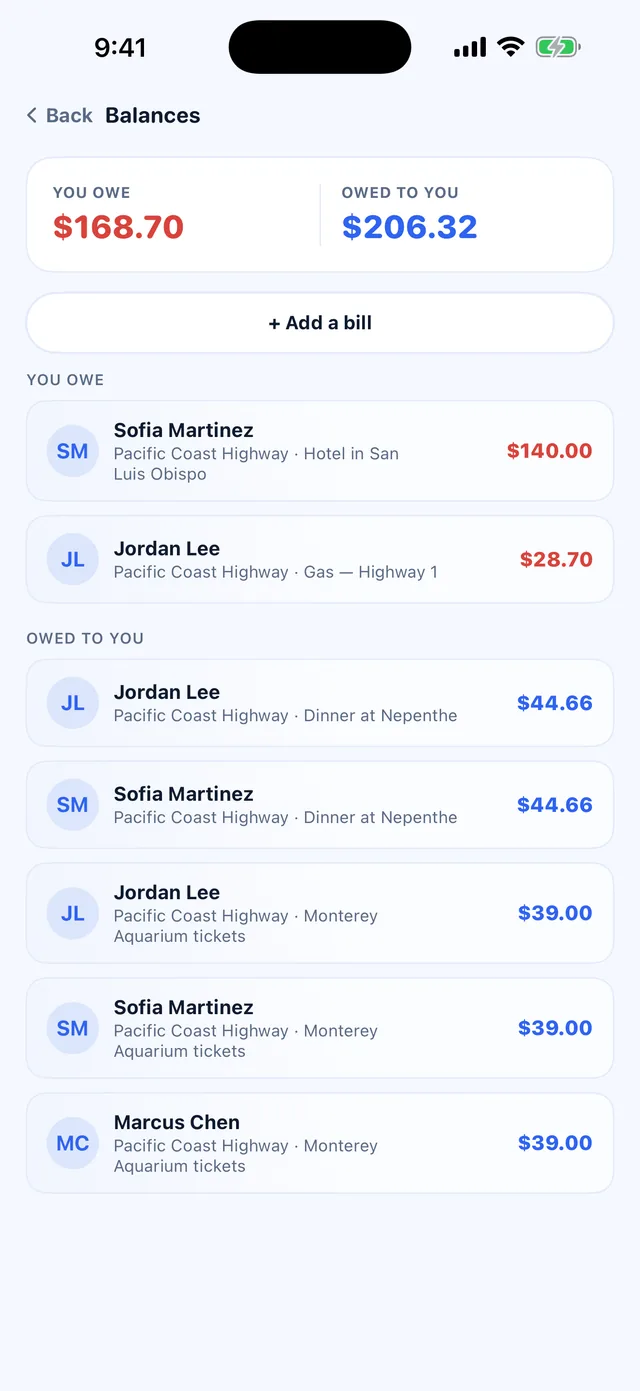
Meetly balances screen itemising what is owed and to whom
Who owes what, settled

Everything for the meetup, in one thread.

Once a plan's confirmed, three screens keep it running — and none of them leak your location outside the people in that plan.

Meetly live tracking map showing friends heading to the meetup with arrival times
Live tracking, once confirmed
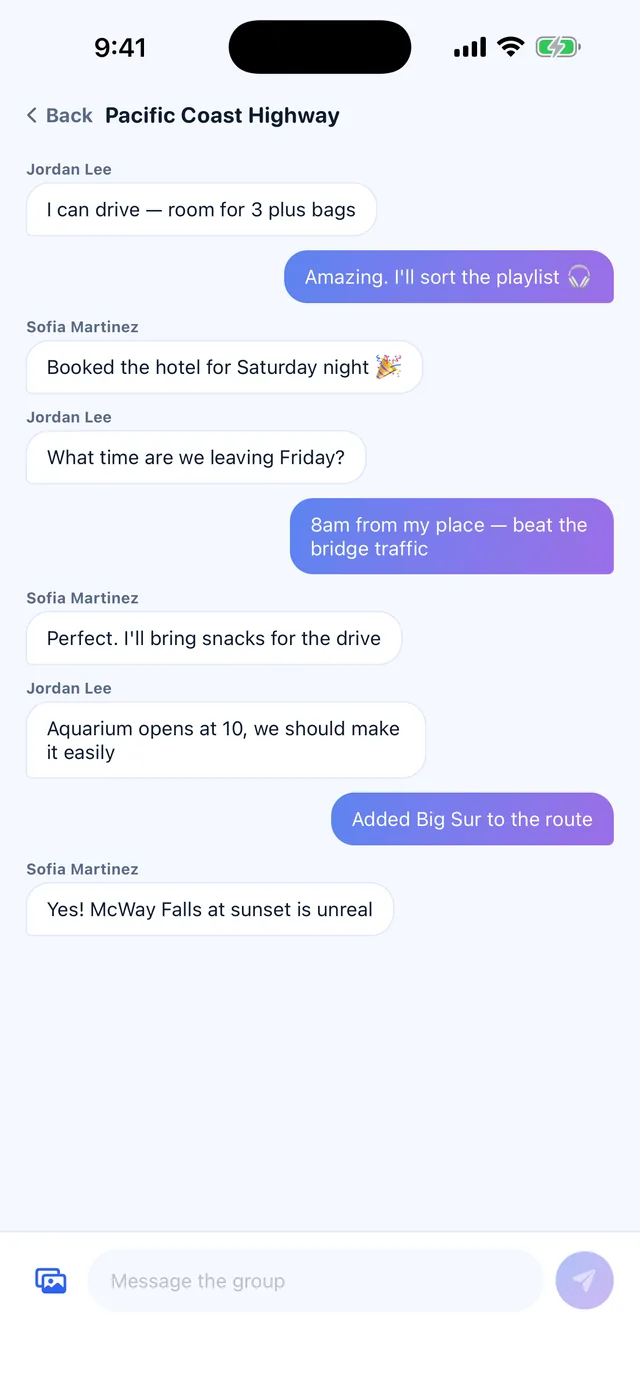
A Meetly group message thread for the Pacific Coast Highway trip
A thread for each plan
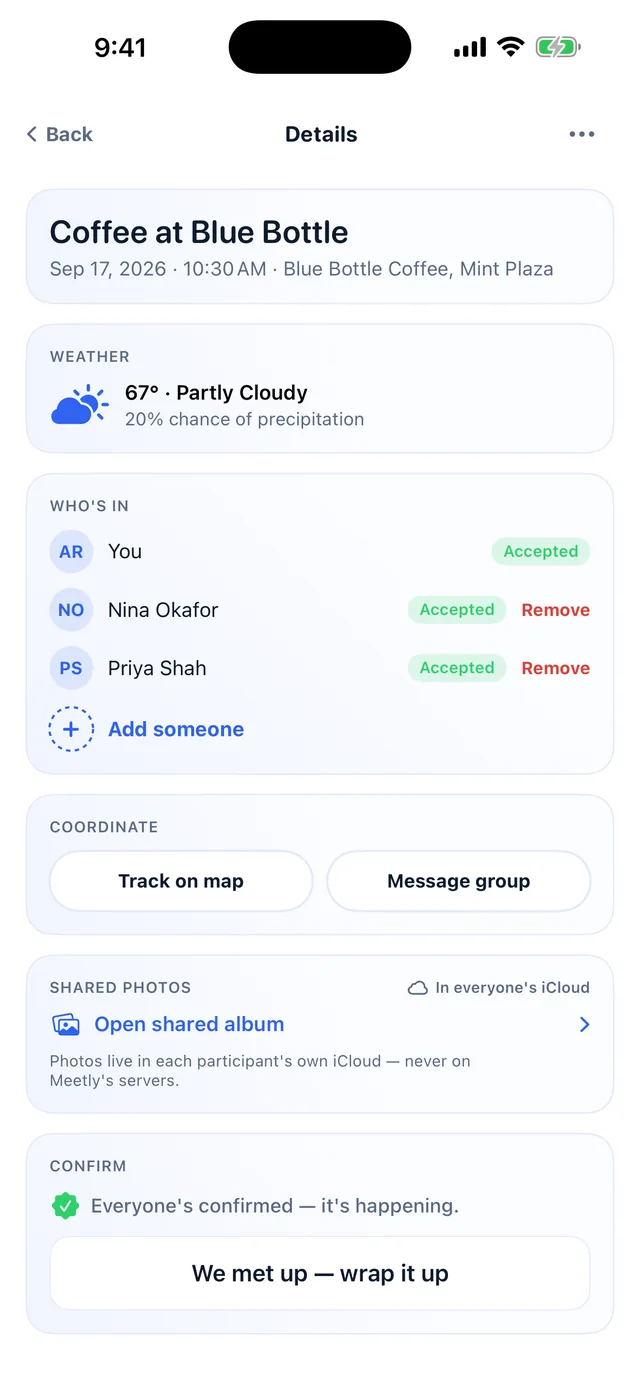
A confirmed Meetly plan showing the weather forecast for the spot and who has accepted
Weather at the spot, before you go
Setup in 5 minutes

Get going, then forget about it.

Everything after setup happens quietly in the background.

1

Sign in with Apple

No new password to remember. Your account is tied to your Apple ID.

2

Pick your interests

Food, hiking, board games, live music — so meetup spots make sense later.

3

Build your loop

Add the people you actually want this shared with, straight from contacts.

4

Set your radius

Decide how close counts, and switch on notifications.

5

Mark yourself free

A ping only fires when you're both free at the same time. Nearby alone isn't enough.

That's it

Meetly takes it from here — quietly, in the background.

Meeting up, safely

Meetly tells you someone's nearby. It doesn't vouch for anyone.

Three habits worth keeping regardless of how well you know someone.

Meet in public, at least at first

Suggested spots are public on purpose — coffee shops, bookstores, parks. Stick to those for anyone you don't know well yet.

Tell someone your plan

A quick “meeting Jordan at Ritual at 3” text to another friend takes ten seconds and costs nothing.

Trust your judgment

Decline any wave, remove anyone from your loop instantly, and report a concern any time — see our Support page.

Privacy first

Location sharing only runs one way: together.

A match only happens if both people have added each other. You can remove anyone, shrink your radius, or turn the whole thing off at any time — nothing keeps running once you do.

Meetly never posts your location publicly, and never shows you anyone outside the people you've chosen. Even the photos you share on a plan stay in iCloud, in your own account — they never touch our servers. Read the full Privacy Policy.

In short

What Meetly does.

The whole thing, at a glance.

Tells you a friend is nearby — only friends you both chose, only while you're both free
Plans a meetup — a spot, a time, who's coming, all confirmed in the app
Plans a trip anywhere — road trip, flight, train or bus, with anyone in your loop
Any stop you like — pick from suggestions, or drop your own pin on somewhere unlisted
Day by day for longer trips — what you're seeing each day, and where you're sleeping each night
The real route on a map — driving trips get an actual computed route and travel time
Bills while you're still away — add as you go, running total until you close the trip
Split it however it really went — everyone, just some of you, uneven amounts, or nobody at all
A thread per plan — plus live tracking on the day, and the weather where you're headed
Shared photos per plan — one invite link, everyone adds theirs; they live in iCloud, never on our servers
A record of what you did — wrapped-up plans land in your meetup history
Report or block anyone — from their row, a message, or your account settings
Nothing without consent — you're invisible until you've both added each other
Off whenever you want — quiet hours, a radius you set, and delete everything in one tap

What it isn't: a map of strangers, a public feed, a background-check service, or a way to be found by anyone you haven't personally added. There's no advertising and nothing is sold — Meetly makes no money from your data.

Get started

Your circle's already
closer than you think.

The website's just the front door. Open the app, sign in with Apple, and set your loop — no new password, no endless forms.

Download on theApp Store iPhone only · coming soon

On the App Store it's listed as MyMeetly, one word — search that, and look for the two-people mark. Several unrelated apps use the Meetly name.

Meetly sign-in screen with the Continue with Apple button